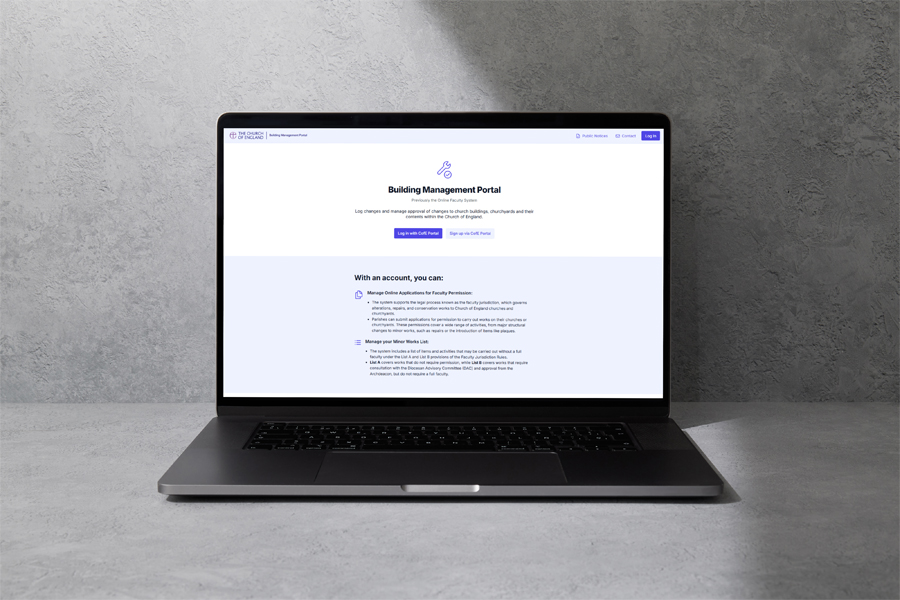
In the Diocese of Worcester, all applications for Faculty, List A or B permission, and Additional Matters Orders (AMOs) need to be made online. Previously, this was done via the Online Faculty System (OFS) but we have now moved to the Buildings Management Portal (BMP).
The new system is now online and can be accessed by following this link: https://buildings.churchofengland.org
- Old login details for the Online Faculty System will not work on the Buildings Management Portal. Please follow the guidance below to successfully sign up for the new system.
- Please do not block emails from the new Buildings Management Portal as this will result in you ceasing to receive any future communications about the system and your casework.
How do I sign up?
The video below outlines how to sign up for the new system. If you already have a CofE Portal account (used for things like Parish Buying and Parish returns) the process is slightly simpler, but if you don’t, the video also shows you how to sign up for a CofE Portal account.
Who can I speak to about the changes?
For most users, you won’t need to do anything until you need to log a case on the new system- with details of what to do on this page.
Training videos are available by clicking on the ‘Training for the New System’ below.
If you have an urgent query not answered by the information on here, you can email us on churches@cofe-worcester.org.uk, using “BMP Query” in your “Subject” line.
More information about the Buildings Management Portal
Timeline
The OFS was turned off on Tuesday 7 April. From this date, if you try to access the system you’ll get an error message telling you “Invalid user”. Please do not contact us if you receive this message as this is what everyone will see if they try and log in to the OFS now it has shut down.
Your registration on the OFS will not translate to the BMP. You will need to re-register before you can access it; please read the guidance below on how to register.
How do I access the new system?
Only those who register for the BMP will be able to access it.
Access to the new system is via https://buildings.churchofengland.org Because the system is linked to the Church of England Portal it will now use two-factor authentication. The steps to complete registration as well as how to navigate two-factor authentication are detailed in the below video:
Building Management Portal Training Video – Registration and Account Management
What will happen to our case files?
All ongoing and historic cases have been moved across to the new system for you; only cases already marked as deleted/abandoned have been removed.
Important information about emails from the new system
The new system is intended to create a better flow of information. This means that the messages coming from ‘the system’ will be bespoke, as we work to reduce the duplication of messaging that happens with the system at the moment (where you receive an email from the system, and then a separate email from a named member of the team). The messages from the system will come from noreply@buildingportalnotifications.churchofengland.org.
Please ensure that you do not mark this sender as spam, as once this is done you will receive no more messages from the system and we’ll be sending you important messages that you never receive (this is not something we can control). These emails may seem to be auto-generated, but they will contain information such as next steps for your case, requesting further information, or details of your permission along with conditions that must be followed when carrying out the work.
Training for the New System
We carried out some training on the system last year but the new launch will be accompanied by walk-through videos that will show you step-by-step how to complete applications online. For the moment, the training is outlined as below:
Building management Portal Introduction